
Spola
Keep your folders in sync with Koofr, on GNOME.
Koofr's own desktop client works, but on GNOME it never felt at home: an old GTK 3 window, nothing in Files, and a tray icon that redraws itself every second, which broke the tray of the shell I use. So I wrote Spola. It keeps folders on your computer and folders on Koofr identical, in both directions, in the background, and it is careful with your files above everything else.
A spola is the shuttle of a loom, the piece that carries the thread from one side to the other. In Italian, fare la spola means going back and forth.
Or from a terminal: flatpak install https://daniel-g-carrasco.github.io/spola/spola.flatpakref.
It comes from its own signed repository and updates arrive through GNOME Software, like any other app.
On Margine OS: ujust install-spola.
How it works
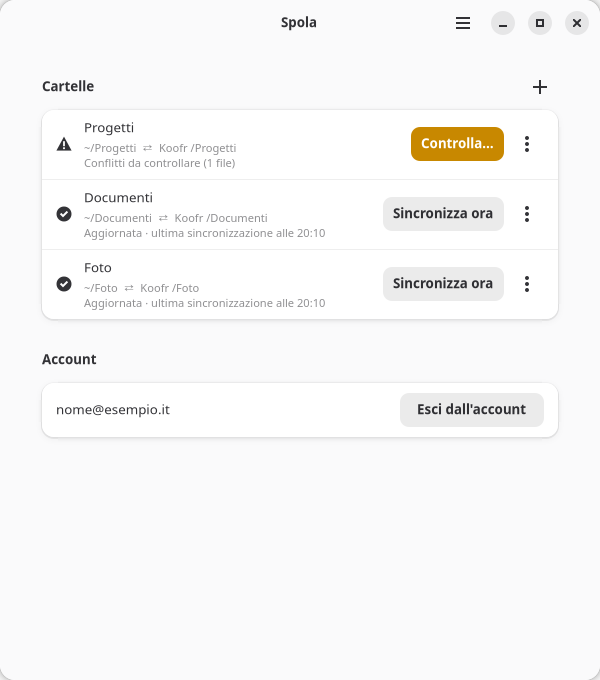
You sign in with your Koofr e-mail and an app password (Koofr settings, Passwords: Koofr does not accept your main password from other apps), then you pick folders, each one paired with a folder on Koofr. Spola sits in the tray. Changes you make are picked up as they happen; changes made from your other devices show up within a minute, and once an hour Spola checks everything anyway.
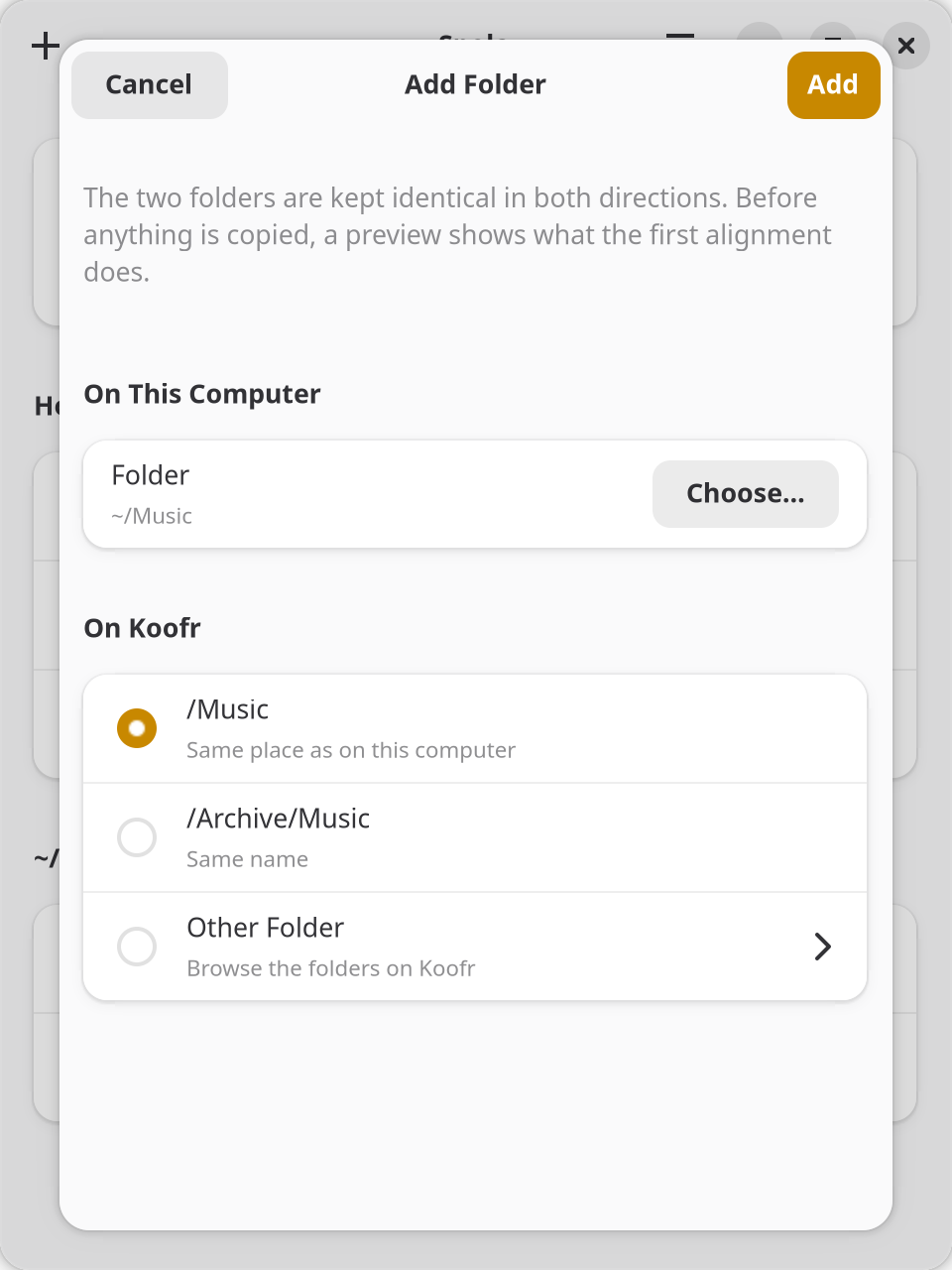
When you add a folder, Spola looks on Koofr for its match: the same place as in your home folder, or a folder with the same name. If that is not it, you browse your Koofr folders one level at a time, or make a new one. Folders that are already synced are greyed out, so two pairs never fight over the same files.
The tray icon is in the panel's own colour, like its neighbours: its shape says what is going on (arrows while syncing, a mark when something needs you, a cross on errors). Hover it to see what is syncing and how far along it is; its menu starts with the same line, then lists the files being transferred and the last ones synced, and a click shows the file in Files.
I did not write a sync engine. Every sync is an rclone bisync run: rclone
is well tested on thousands of machines, and I would rather put guards around it than reinvent it.
Careful with your files
- A preview before every big step. The first sync of a folder, a repair, and any sync stopped by a safety check show you the list of what would happen, how much goes each way and whether Koofr has room for it. Nothing runs until you say so. The other folders keep syncing meanwhile, you can close the preview and come back to it, and for a folder waiting for you it is ready before you ask.
- No surprise deletions. A sync that would delete more than 10% of a folder stops and waits for you. Files deleted or replaced on your computer go to a local backup for 30 days; on Koofr they go to Koofr's trash.
- A move stays a move. Rename a file or move it to another folder and Spola moves it the same way on the other side (on Koofr, on the server) instead of deleting it and copying it again. A big reorganisation still stops and asks first, and lists the moves as moves.
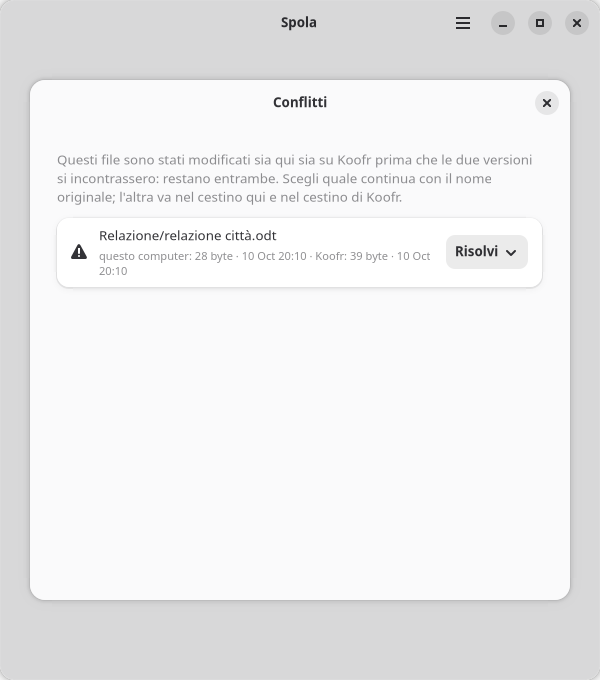
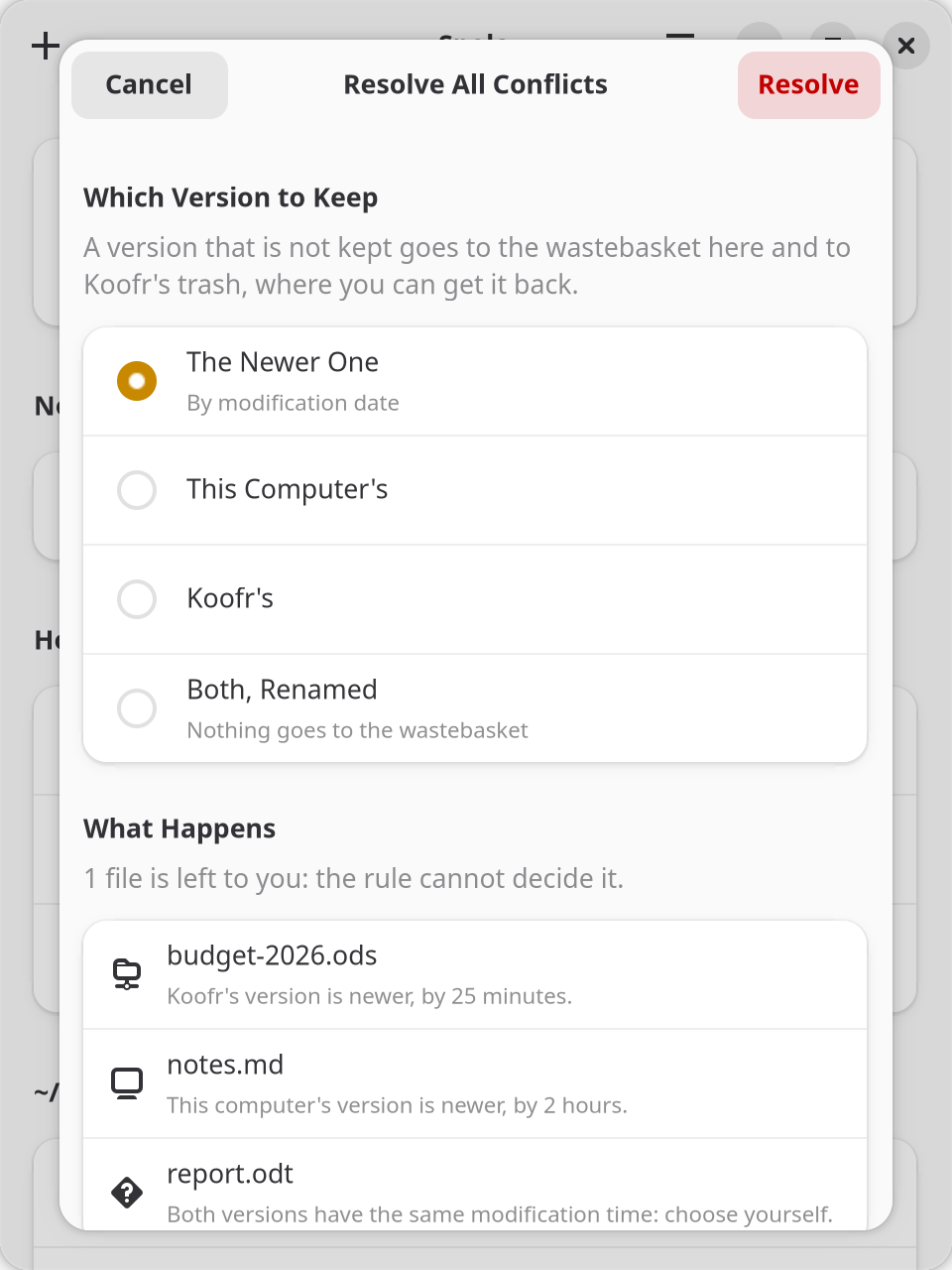
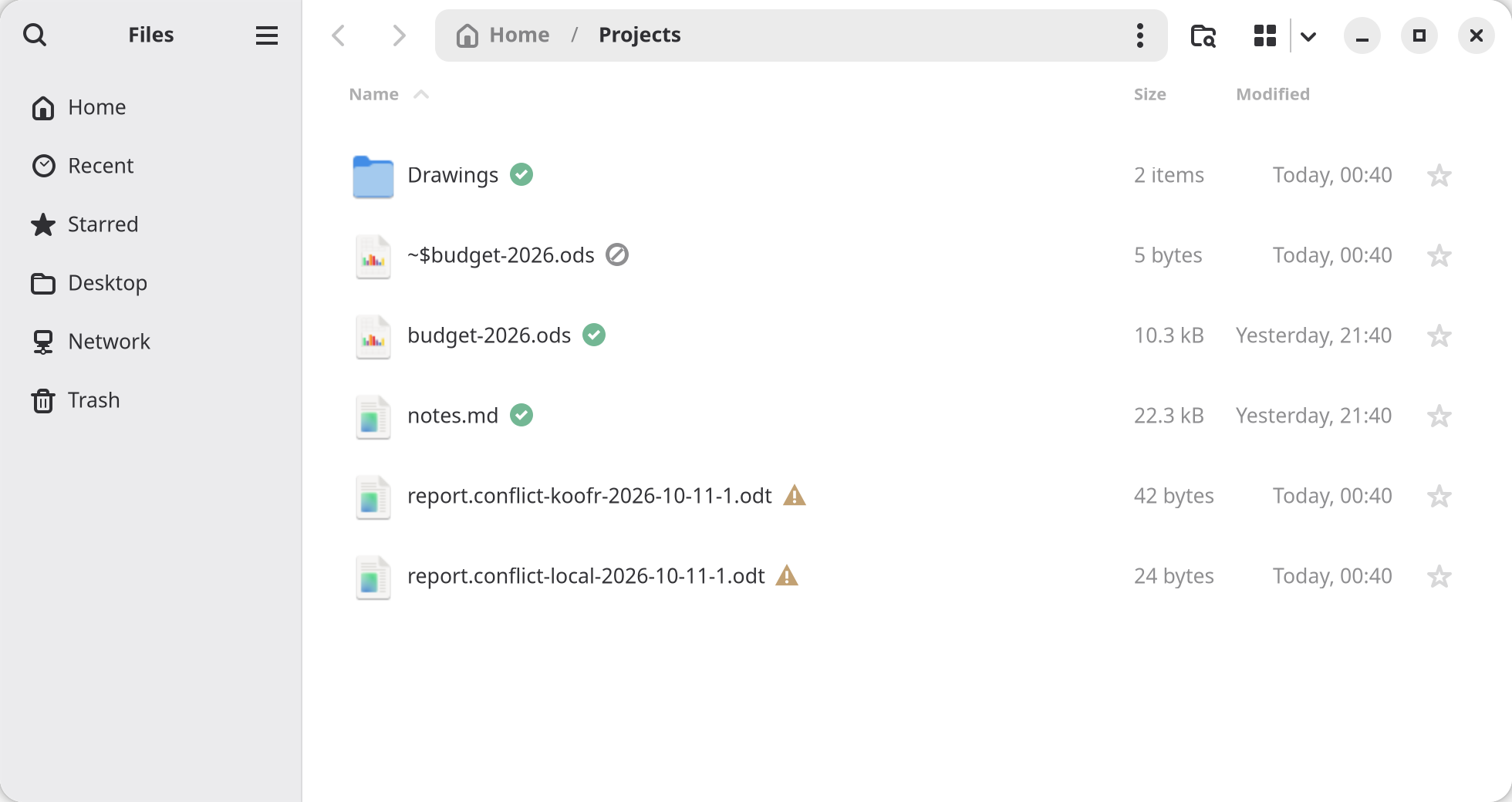
- Conflicts keep both versions. When a file changed on both sides, you get two copies with readable names and a window to pick the one that stays: one by one, or all together with a rule (the newer one, this computer's, Koofr's, both), after seeing what happens to each file. If you prefer, a folder's rule does it on its own after each sync. The version not kept goes to the wastebasket, never away for good.
- An unplugged drive is not an empty folder. If the folder Spola knows is gone or replaced, the pair stops before rclone even starts.
- Names Koofr refuses (emoji, names that differ only in case) are left out and shown to you while the rest keeps syncing, and Spola offers to rename them to names Koofr accepts.
- Your app password stays in the keyring and never shows up in a command line.
In your file manager
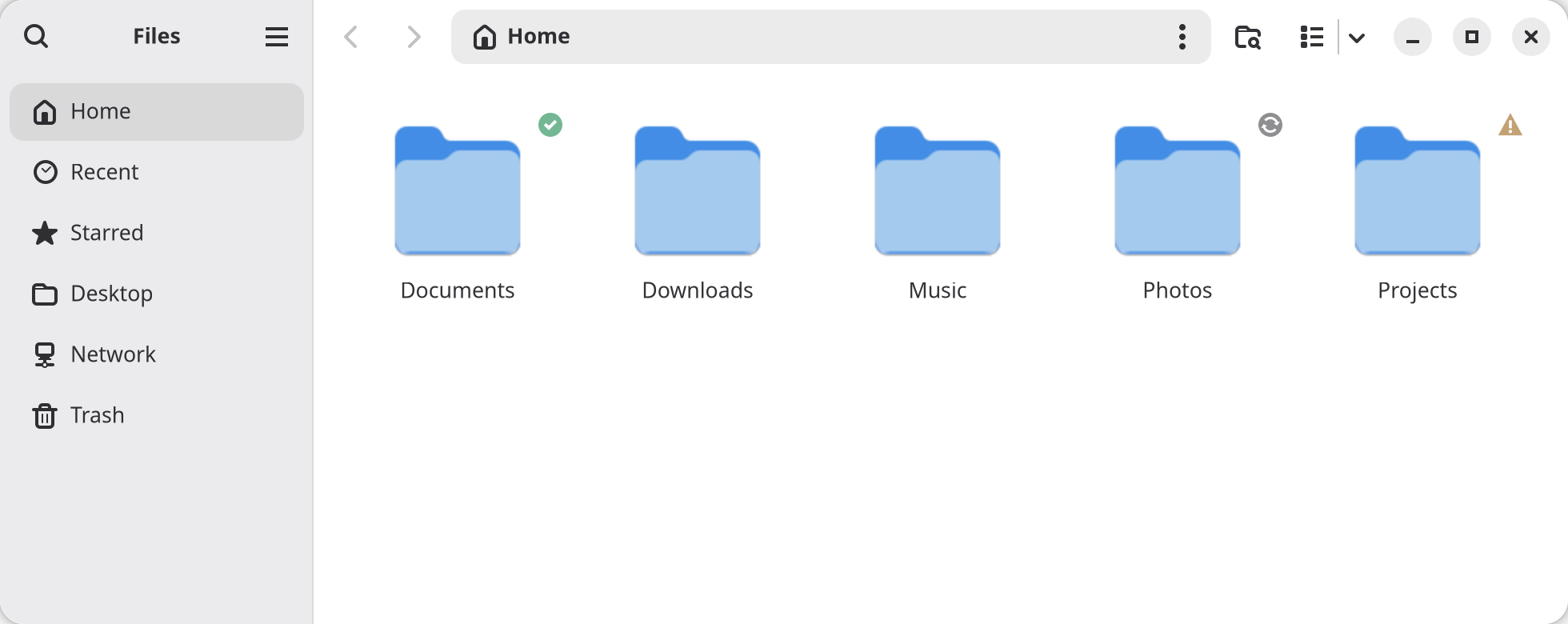
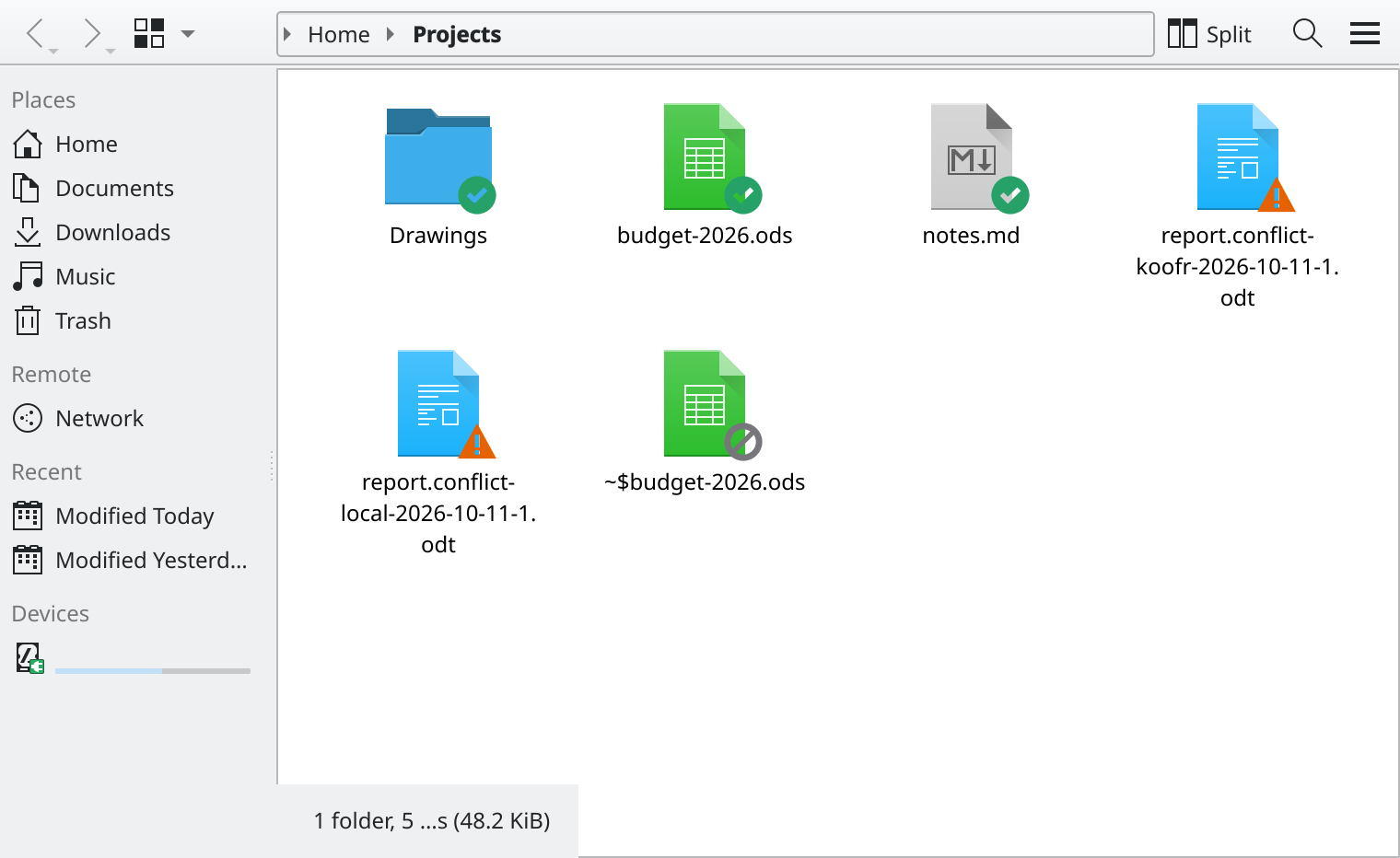
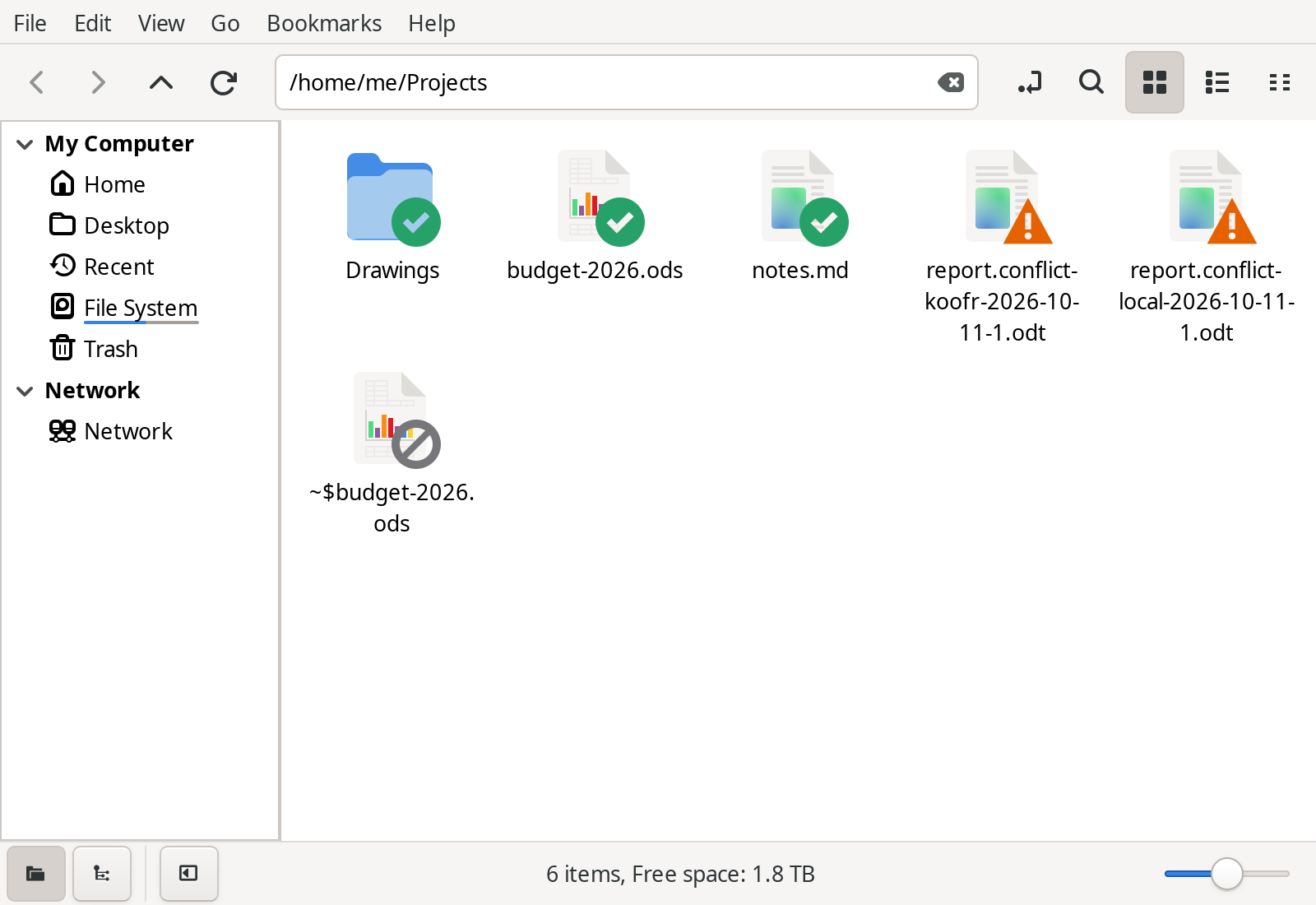
Turn it on in the preferences and your file manager shows an emblem on every synced file and folder: up to date, syncing, waiting, error, conflict, left out. Right-click gives you Sync Now, Open on Koofr and the share link. The extension only reads from a cache, so the file manager stays as fast as it was.
Files (Nautilus), Nemo and Caja get both, through their Python bindings (nautilus-python,
nemo-python, python3-caja; Margine OS has the first). Dolphin gets the Koofr menu
right away, and the emblems with a small plugin you build once on your system:
three commands.
Thunar gets the menu only, because it has no way for an extension to draw emblems.
Coming from Koofr Desktop
Spola can take your Koofr Desktop folders over: spola import-koofr-desktop, or
ujust install-spola migrate on Margine OS. Spola does not sync while Koofr Desktop runs on the
same computer or is set to start at login: two sync engines on the same folders is the quickest way to lose
files, and I learned it the hard way. Koofr Desktop on your other computers is fine. In my case the folders were already identical on both sides
and the first sync of each moved nothing, but you see that in the preview before anything happens.
Where it stands
This is version 0.3. I use it every day on my own machine, with 16 folders and a few hundred gigabytes, and it replaced Koofr Desktop there. It is still young: if something looks wrong, please open an issue. It speaks English and Italian.